


How to send email via Gmail SMTP using ajax and php
Prerequisites
Step 1: Configure Google Security (Crucial)
Step 2: Install PHPmailer
BASH CODE
composer require phpmailer/phpmailerIf you don't have Composer, you can manually download the PHPmailer source code from GitHub and include the `src` files manually, but Composer is highly recommended.Step 3: The Backend (PHP Script)
<?php
// send_mail.php
use PHPmailer\PHPmailer\PHPmailer;
use PHPmailer\PHPmailer\Exception;
// Load Composer's autoloader
require 'vendor/autoload.php';
// Initialize response array
$response = ['status' => 'error', 'message' => 'Something went wrong.'];
if ($_SERVER["REQUEST_METHOD"] == "POST") {

    // 1. Sanitize Input
    $name = htmlspecialchars(strip_tags($_POST['name']));
    $email = filter_var($_POST['email'], FILTER_SANITIZE_Email);
    $message = htmlspecialchars(strip_tags($_POST['message']));
    // 2. Setup PHPmailer
    $mail = new PHPmailer(true);
    try {
        // Server settings
        $mail->isSMTP();
        $mail->Host       = 'smtp.gmail.com';
        $mail->SMTPAuth   = true;
        $mail->Username   = 'your_email@gmail.com'; // YOUR Gmail
        $mail->Password   = 'xxxx xxxx xxxx xxxx';  // YOUR APP PASSWORD (Not login password)
        $mail->SMTPSecure = PHPmailer::ENCRYPTION_STARTTLS;
        $mail->Port       = 587;
        // Recipients
        $mail->setFrom('your_email@gmail.com', 'mailer Service');
        $mail->addAddress('recipient_email@example.com'); // Where you want to receive the email
        $mail->addReplyTo($email, $name); // So you can reply to the user
        // Content
        $mail->isHTML(true);
        $mail->Subject = 'New Contact Form Message from ' . $name;
        $mail->Body    = "<b>Name:</b> $name <br><b>Email:</b> $email <br><b>Message:</b><br>$message";
        $mail->AltBody = "Name: $name \nEmail: $email \nMessage: $message";
        $mail->send();
        $response['status'] = 'success';
        $response['message'] = 'Email has been sent successfully!';

    } catch (Exception $e) {
        $response['message'] = "Message could not be sent. mailer Error: {$mail->ErrorInfo}";
    }
} else {
    $response['message'] = "Invalid Request Method";
}
// Return JSON response
header('Content-Type: application/json');
echo json_encode($response);
?>
Step 4: The Frontend (HTML & AJAX)
<!DOCTYPE html>
<html lang="en">
<head>
    <meta charset="UTF-8">
    <meta name="viewport" content="width=device-width, initial-scale=1.0">
    <title>Contact Form</title>
    <style>
        body { font-family: sans-serif; padding: 20px; }
        form { max-width: 400px; margin: 0 auto; }
        input, textarea { width: 100%; margin-bottom: 10px; padding: 8px; }
        button { padding: 10px 20px; background: #28a745; color: #fff; border: none; cursor: pointer; }
        #statusMessage { margin-top: 10px; font-weight: bold; }
        .success { color: green; }
        .error { color: red; }
    </style>
</head>
<body>
    <form id="contactForm">
        <h2>Contact Us</h2>
        <input type="text" name="name" id="name" placeholder="Your Name" required>
        <input type="email" name="email" id="email" placeholder="Your Email" required>
        <textarea name="message" id="message" rows="5" placeholder="Your Message" required></textarea>
        <button type="submit" id="submitBtn">Send Message</button>
        <div id="statusMessage"></div>
    </form>
    <script>
        const form = document.getElementById('contactForm');
        const statusMsg = document.getElementById('statusMessage');
        const submitBtn = document.getElementById('submitBtn');
        form.addEventListener('submit', function(e) {
            e.preventDefault(); // Stop page reload
            // Change button text to indicate processing
            submitBtn.textContent = 'Sending...';
            submitBtn.disabled = true;
            statusMsg.textContent = '';
            statusMsg.className = '';
            // Gather Form Data
            const formData = new FormData(this);
            // Send AJAX Request
            fetch('send_mail.php', {
                method: 'POST',
                body: formData
            })
            .then(response => response.json())
            .then(data => {
                if (data.status === 'success') {
                    statusMsg.textContent = data.message;
                    statusMsg.className = 'success';
                    form.reset(); // Clear the form
                } else {
                    statusMsg.textContent = data.message;
                    statusMsg.className = 'error';
                }
            })
            .catch(error => {
                console.error('Error:', error);
                statusMsg.textContent = 'An unexpected error occurred.';
                statusMsg.className = 'error';
            })
            .finally(() => {
                submitBtn.textContent = 'Send Message';
                submitBtn.disabled = false;
            });
        });
    </script>
</body>
</html>
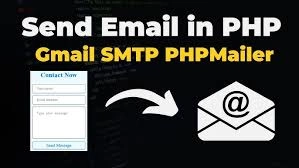
How it works (Visual Flow)
Common Troubleshooting
Screen Shots
Click on a photo below to scroll through the screen shots of the application!

Submit your Job or Project Today!
We can help you turn your idea into reality, take over your existing project, or extend your current development team.
Submit your idea job or project below and we will follow up with you shortly.
OUR OBJECTIVE
Our objective is to reach a place where our services will be highly regarded by businesses from various industrial domains for building their innovative busines solutions with our cutting-edge technological expertise, interactive designs and uncompromised quality.
OUR MISSION
We aspire to help businesses ranging from startups to enterprises, who reach out to us with their requirements, in achieving great lengths, expanding their reach, upscaling their products, and generate a large user-base with our outstanding and cost-effective services.